

Pocket Option Free Demo Account

Click on the button below to go to the official page to open a demo account instantly. Here you will also find a detailed overview of Pocket Option demo trading.

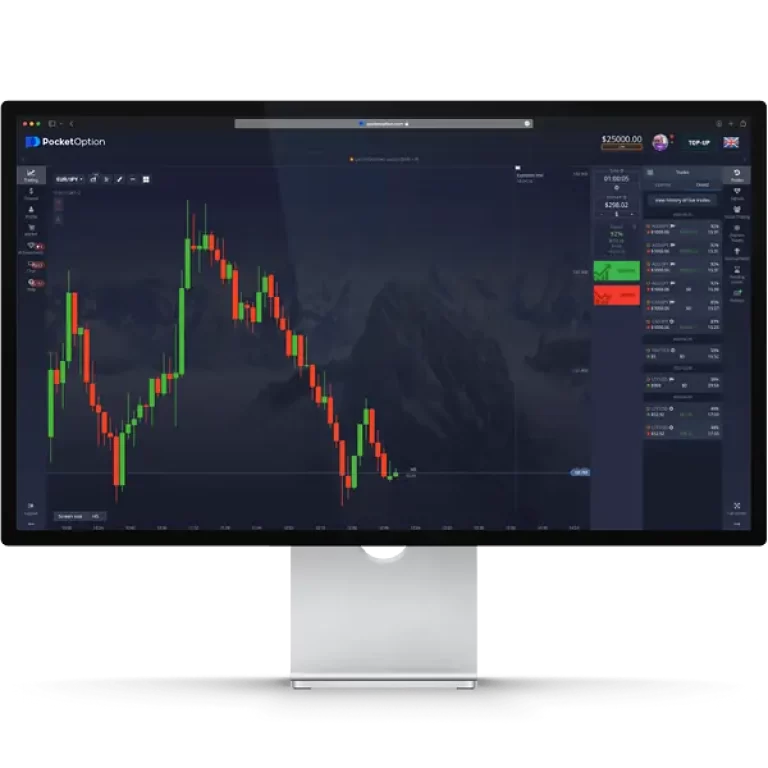
pocket option desktop platform

Quick Trading Demo Account Pocket Option

Back in the day, a demo account felt like a bonus feature. In 2026, it’s a basic standard for any serious broker. Pocket Option was one of the first to offer a full demo mode without registration, and today it still stands out as one of the most realistic practice environments.

With a single click you can start trading, test dozens of assets from forex and stocks to crypto, and explore pro-level tools. The only drawback is that without signing up your trading history won’t be saved, so you lose the chance to analyze progress over time. Creating a full trading profile solves this issue.

What’s New in 2026 Pocket Option Demo

  • $50,000 virtual balance with instant refill option
  • Wider asset list, including fresh crypto pairs and OTC markets
  • Faster interface on both web and mobile apps
  • Ready-made strategies (scalping, trend, reversal) to test instantly
  • Full mobile demo access, with signals and multi-charts included

With these upgrades, Pocket Option offers one of the most realistic demo environments. The next step is a short account registration, after which we’ll look at the platform’s interface and trading tools.

Opening a PocketOption Demo Account

Getting started with a demo account is quick and straightforward. You can register in a matter of minutes via email or by using your existing social media profiles. Using either method, the process is super quick. And you’ll have access to $50,000 in virtual funds to practice trading.

We recommend using the classic method – by e-mail.

To open a demo account on Pocket Option, simply:

  1. Go to oficial website and click the “Registration” button;
  2. Enter your email and a password;
  3. Check you agree to the terms and conditions;
  4. Verify your email to complete the process;

Once registered, you can access the demo trading platform right away.

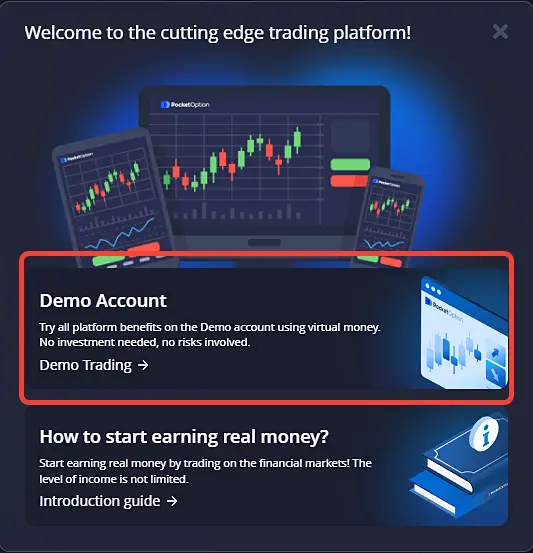
The welcome message for a new user

Navigating the Demo Platform

Pocket Option’s demo trading experience mirrors the live platform, allowing you to explore all tools and features in real market conditions. For deeper analysis and multi-chart setups, many traders prefer using the platform on a desktop environment.

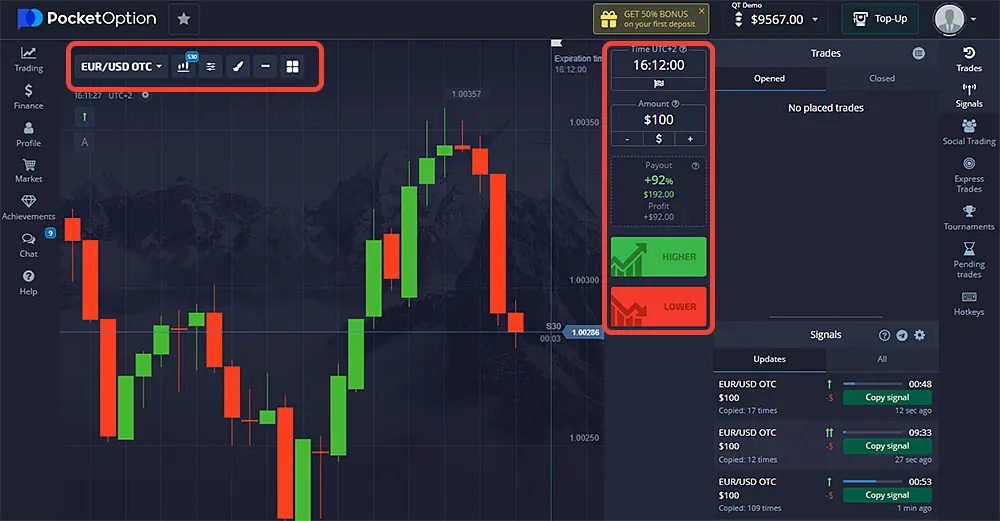
If you are a beginner, the first thing you should pay attention to when getting acquainted with the interface is the areas of selecting an asset for trading (highlighted on the left) and the area of customizing trades (highlighted on the right). What it is and other details follow below.

Depending on the dextop and mobile versions, the layout of buttons and fields in the trading terminal may differ.

Key Features and Advantages of Practicing on a Demo

PocketOption packs its demo account with features to provide an authentic trading experience:

Realistic Market Simulation

Demo accounts connect to live price feeds. So you'll be trading in real market conditions, with price movements mirroring the real assets.

Platform Customization

The web-based platform is highly customizable you can tailor the interface and enable features to match your trading style.

Experience Without Risk

Demo trading allows you to understand market dynamics, asset price movements, volatility, technical factors and more without putting capital at risk.

Test Strategies

You can experiment with trading strategies to determine which suit your goals and style best. Find what works well and discard what doesn't.

Analyze the Markets

Exposure to live markets through a demo teaches you how to conduct technical and fundamental analysis. Mastering analysis is key to trading success.

How to Trade on Demo

We will use quick demo trading as an example. The peculiarity of this mode is trading digital options.

Your goal is to predict how the market price of an asset will move within a short timeframe, typically just 1 minute, although you can choose a different time frame as well. Here’s how to do it in a beginner-friendly way:

1) Analyze the Chart: Start by looking at the chart that shows the asset’s price movement. Try to figure out whether the price will go up or down during the chosen timeframe. This is the core of your prediction.
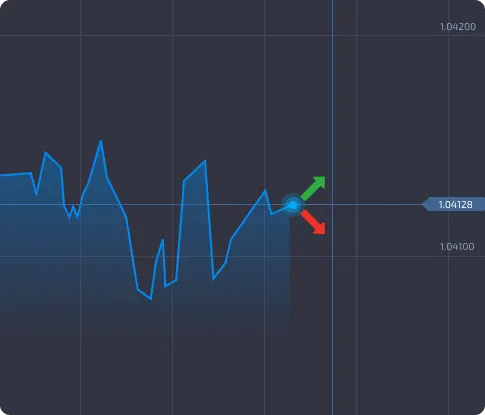
2) Place Your Bet: If you believe the price will be higher at the end of the selected time, click the green button that says “higher”. If you think the price will drop, use the red button that says “lower”.
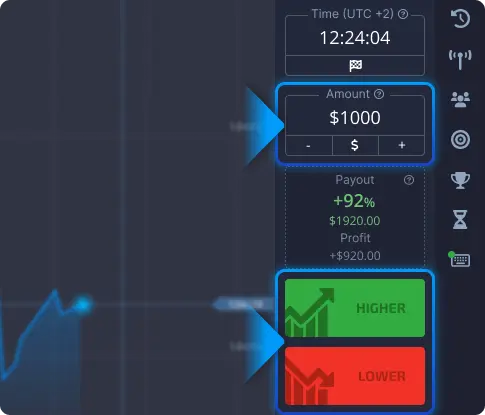
You can also adjust the expiration time (how long your prediction lasts) and the amount you’re willing to trade. Remember, the more you trade, the more you can potentially earn!

3) Use Trading Signals: To boost your chances of success, consider using automatic trading signals. These are like expert tips that can help you make better predictions. Explore different trading strategies and refer to the platform guide for guidance.
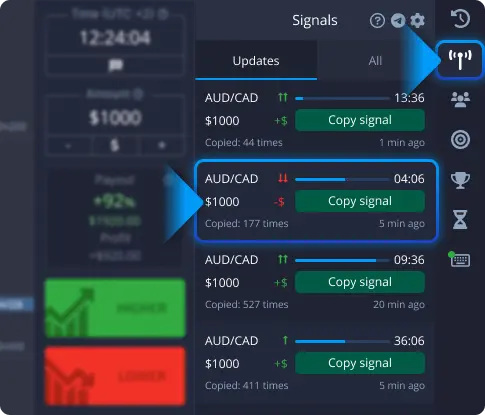
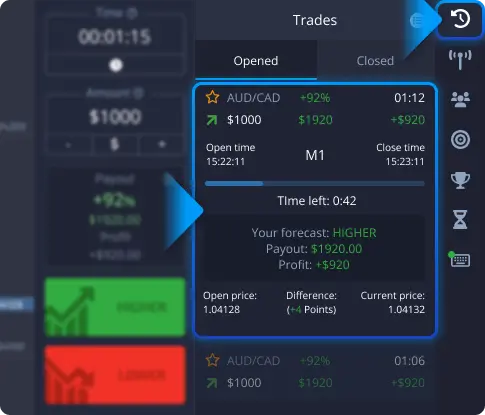
4) Track Your Trades: Keep an eye on your trading activity. You can see a list of your ongoing trades and review your past trade history for the current session. This helps you stay organized and learn from your previous predictions.
When to Move to a Real Account

Once you consistently generate profits on the demo, have grasped analysis techniques, and feel confident in your trading abilities, it may be time to go live.

Start with small position sizes and low risk as you transition your skills to real market trading. Pocket Option makes upgrading to a real account seamless.

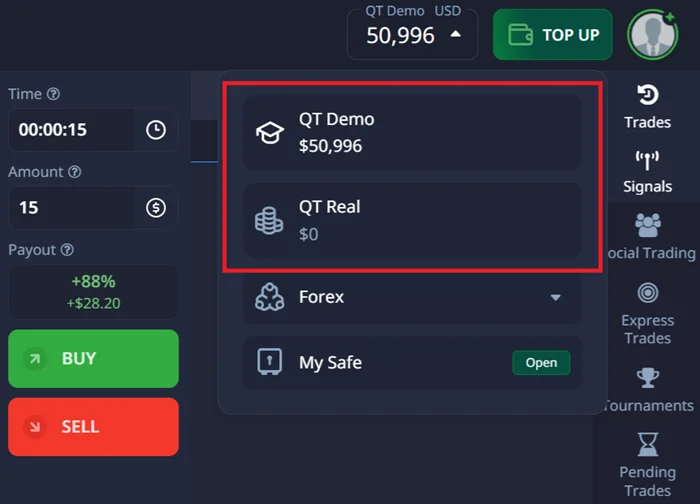
In the left menu, there is a “Trading” button. When you click on it, you can switch between trading modes (choose demo or live). It is also possible to change the trading mode by clicking on the account balance in the upper right area of the screen.

When you switch from demo to live trading, you can activate a special deposit bonus offer available on the funding page.

demo account to real account

Pocket Option Demo vs Real Account

Feature Demo Account Real Account
Starting balance $50,000 virtual funds (reset anytime) Deposit from $5
Market data Real-time price feed Real-time price feed
Emotions No stress, risk-free Real capital at stake
Withdrawals Not available Full withdrawals allowed
Features All tools, indicators, signals All tools + social trading + tournaments
Best use Learning & strategy testing Earning real profits

Interested in trading successfully without actively making predictions? Check out the social trading feature. You can set it to automatically copy the trades of professional traders. You can adjust the copying settings to match your budget and goals. The function of autotracking successful traders is available only in a live account. 

FAQ - PO Trading Demo

Yes, the demo has no time limit. You can practice as long as you like.

You’ll instantly get $50,000 in virtual demo funds, and the balance can be reset anytime directly from the platform.

Yes. Just click the balance and select “Top Up” to instantly restore it to $50,000.

Yes, the demo platform provides an authentic trading environment modeling real-market conditions. All features are mirrored.

Upgrading is seamless. Simply deposit funds to activate a real account. You can keep both a demo and live account.

No. Demo funds are virtual and for practice only.

Register and Get a Bonus

Sign up using our link and a special promo code will be available to you on the recharge page.

Scroll to Top